All plans; advanced scheduling requires Business
Plan phases and deliverables
Turn the agreed scope into owners, dates, and visible progress.
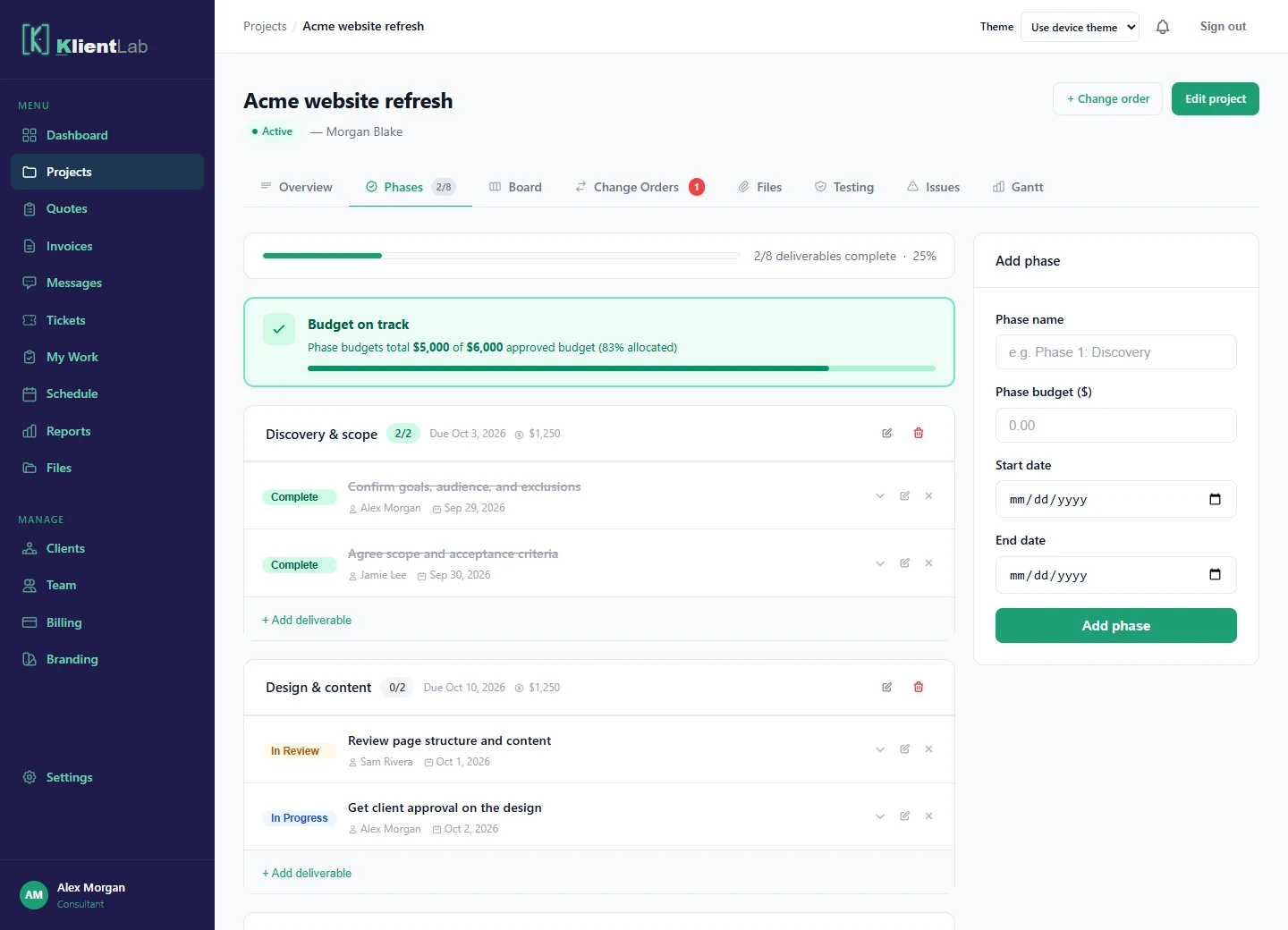
Create an agreed-work project
Open Projects → New project. Choose a client, enter the title, budget, and dates, and select a starter or a blank project. A starter creates editable phases and deliverables; review them to fit your actual agreement. Quotes create their own draft projects.
Organize the phases
Open Phases to add or edit the major stages of work. Give each stage a name, dates, and a budget where useful. Phase budgets help you compare the plan with the overall project budget; they are not proof of revenue or money collected.
Assign deliverables
Add a deliverable inside a phase. Set a clear title, description, owner, due date, and status. Move work through the available statuses as it progresses, including in progress, in review, blocked, and complete. Use the Board for another view of delivery status.
Keep feedback with the item
Open a deliverable to add comments and related files. Use comments to explain what is ready for review or what is blocking progress. Uploads require Pro or Business. Marking an item in review makes its status visible; it does not replace a formal quote or change-order decision.
Use the schedule
Use My Work for assigned work and personal planner tasks, and Schedule for dated work. Business adds waterfall scheduling and Gantt views. Set phase dates and dependencies deliberately, and review the result after changing the plan.